Help
How BuyAsATeam works
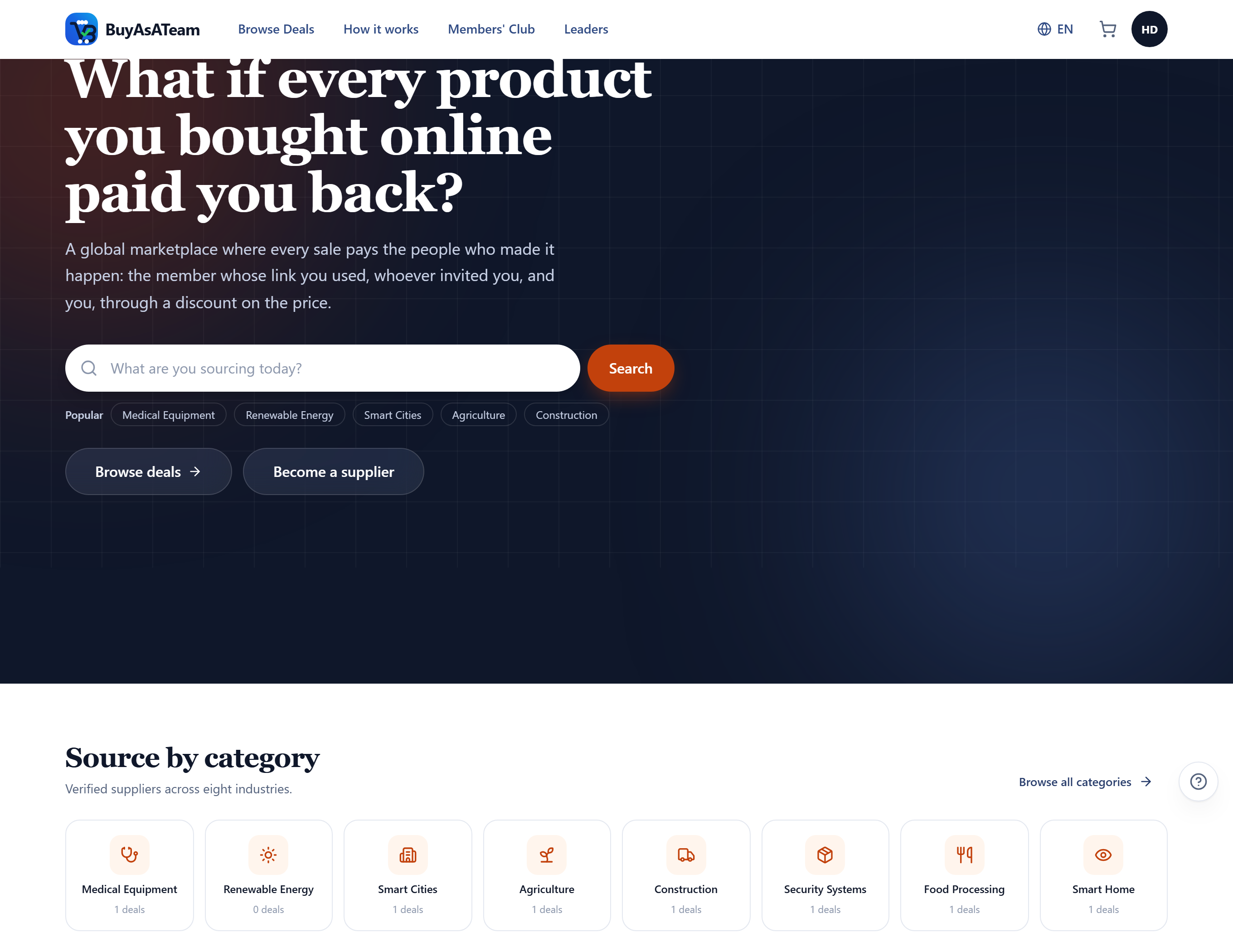
What the platform does, and how to use every screen you have — buying, earning, selling, verifying. Illustrated throughout with the real interface.
What BuyAsATeam is
A global marketplace for consumers, businesses, governments, and organizations, where every listing is verified by an independent inspector, every payment is held in escrow until the buyer confirms delivery, and the platform's markup is shared with the people who helped make the transaction happen.
- Suppliers are verified in person. A Business Marketplace Executive visits the premises and reports on what they found before anything is published.
- Money sits in escrow. You pay the platform, not the supplier, and nothing moves until you confirm the goods arrived.
- The markup is shared. BuyAsATeam adds a margin on top of the supplier's price and divides it seven ways — including a discount that goes straight back to the buyer.
You do not need an account to browse the catalogue, read a price or open the margin breakdown. You need one to buy, to earn, or to sell.
The margin and its seven shares
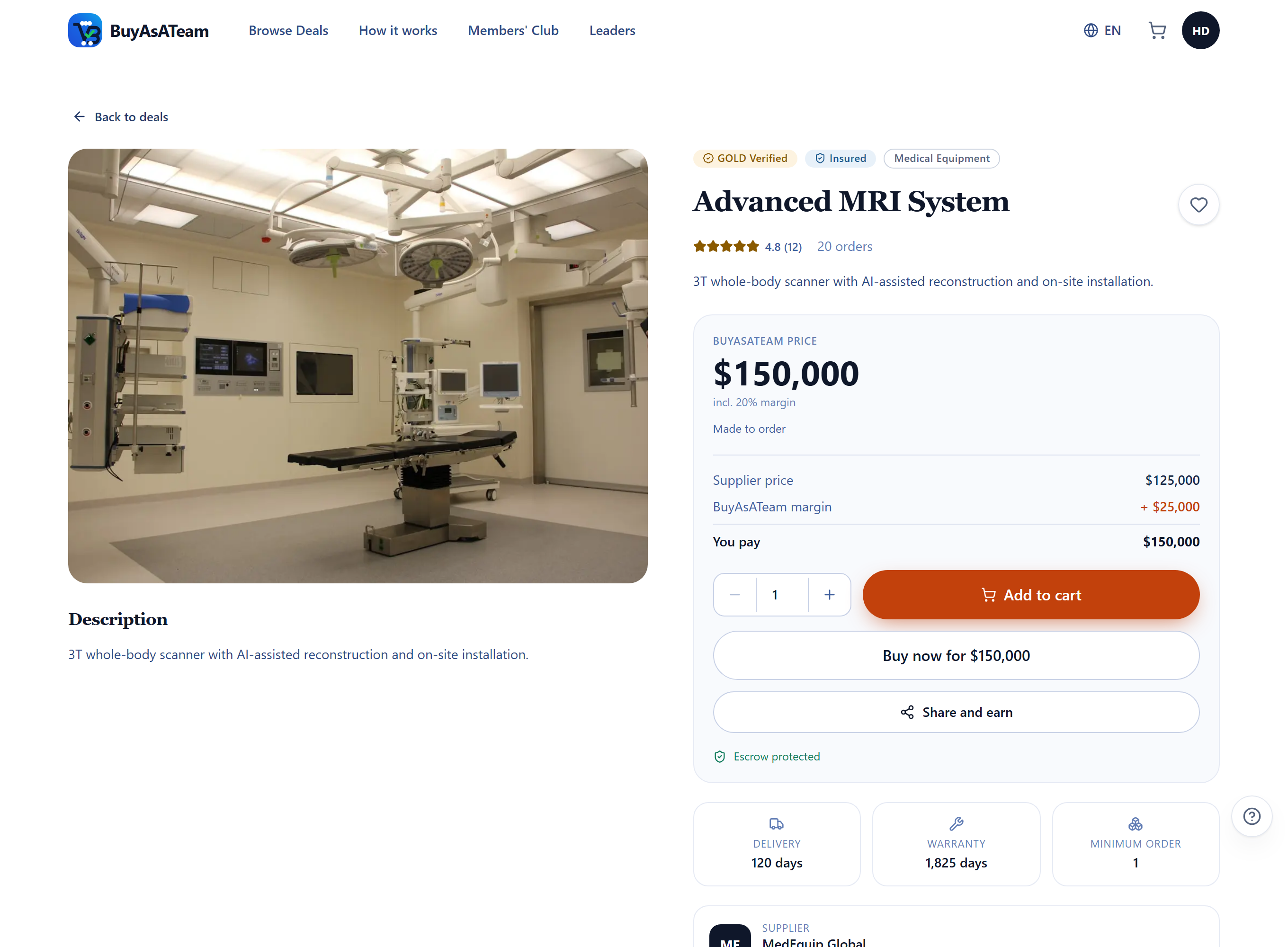
The supplier names their price. BuyAsATeam adds 20%. That markup — not the supplier's money — is what gets divided.
Take a deal the supplier sells at $185,000. The catalogue price is $222,000. Arrive through somebody's referral link and you pay $214,600 instead, because a fifth of the markup is handed straight back to you as a discount.
| Share | Of the markup | Goes to |
|---|---|---|
| Link owner | 20% | Whoever's referral link the buyer arrived through |
| Buyer discount | 20% | Taken straight off the price, when a link was used |
| Direct inviter | 5% | Whoever invited the buyer to the platform |
| BME | 5% | The executive who physically verified the deal |
| Leaders' pool | 5% | Shared each month between the top earners of direct commission |
| Recommendation | 5% | Whoever recommended the purchased deal to be listed on the website |
| Platform | 40% | Business operations, marketing expenses, business expansions, and profit margin |
The breakdown is on every deal page, before you buy, whether or not you are signed in. It is produced by the same code that books the real commissions, so what it promises and what is paid cannot drift apart.
Escrow: why your money is safe
You pay BuyAsATeam. The supplier is paid only after you say the goods arrived. Every order carries two states that answer different questions: the order status says where the goods are, the escrow state says where the money is.
| Escrow state | What it means |
|---|---|
| Initiated | The order exists, nothing has been paid |
| Funded | Your payment has reached the platform |
| Held | Being kept while the order runs its course |
| Released | Paid out to the supplier, commissions booked |
| Refunded | Returned to you |
| In dispute | Frozen — nothing moves until it is resolved |
Verified suppliers, and verified you
A Business Marketplace Executive is a member who goes to the supplier's premises, checks that the business and the goods are real, and writes up what they found. Their report is what an administrator reads before a deal is published.
| Verification tier | What was done |
|---|---|
| Basic | The business exists and matches the listing |
| Silver | Inspected in operation |
| Gold | Inspected, documented and certified |
Filter the catalogue by BME-verified only to see nothing but deals somebody has physically been to.
Your own identity is checked separately. Verifying it opens the parts of the platform that involve other people's money: recommending deals and earning commission on them, letting the people you invite count as verified referrals, and withdrawing what you earn. It carries a fee and covers twelve months.
Joining and signing in
Creating an account takes a name, an email, a country, a phone number and a password. You also choose whether you are here to buy or to sell — that decides which parts of the dashboard you see, and you can switch later without a second account.
If you arrived through somebody's referral link, their code is picked up and kept for you, so whoever invited you is credited even if you sign up days later.

Signing in is email and password. With two-factor authentication switched on you are asked for the six digits from your authenticator app straight after. If you forget your password, ask for a reset link from the sign-in screen — it is single-use and expires, so request a fresh one rather than reusing an old email.

Finding a deal
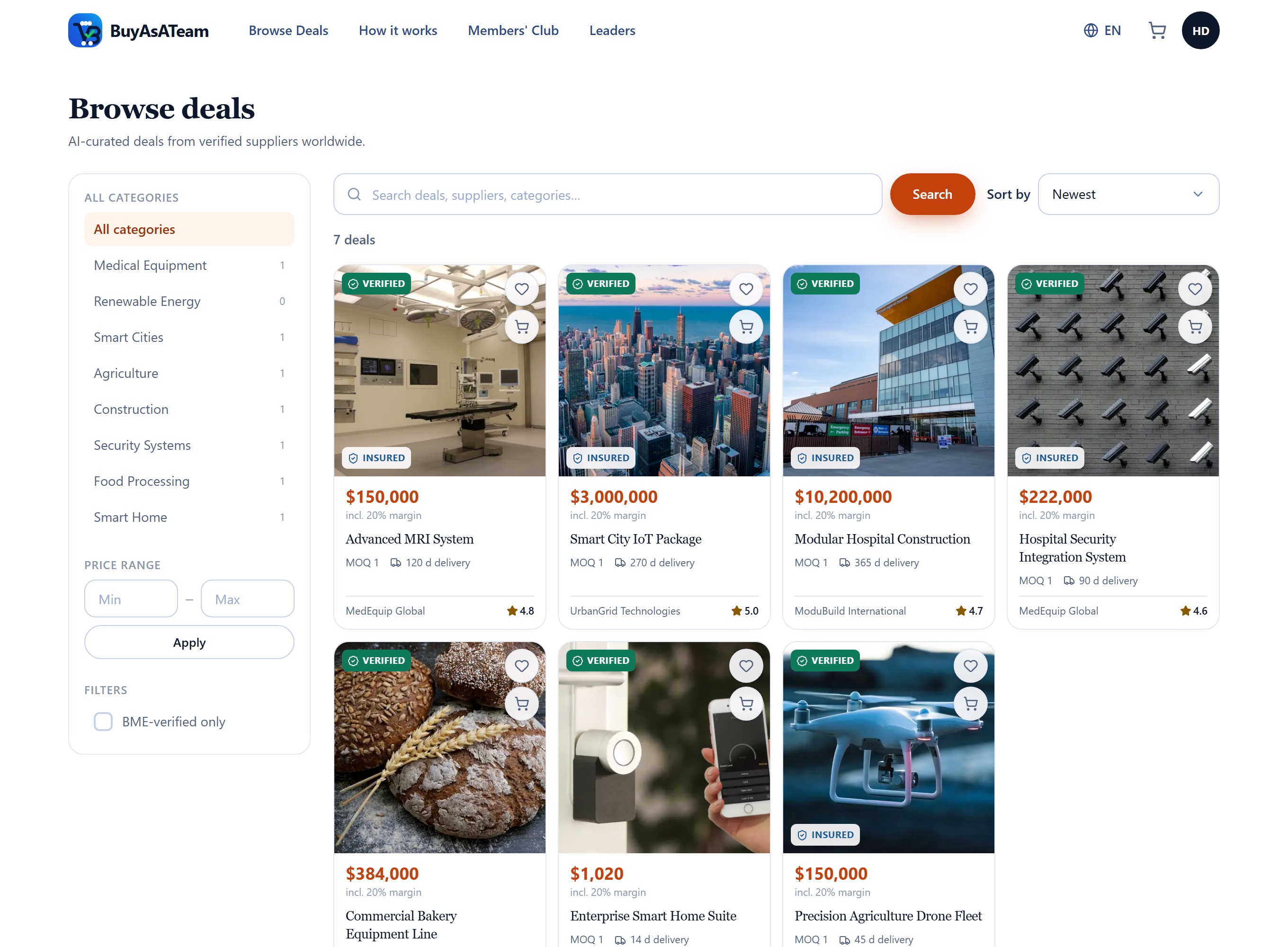
The catalogue is public: filters, search and sorting all work without an account. Filter by category, by price range, or by BME-verified only, and sort by newest, price either way, best rated or most ordered.
The price shown is always what you would pay, with the margin already included — never a supplier price you would then have to add to.
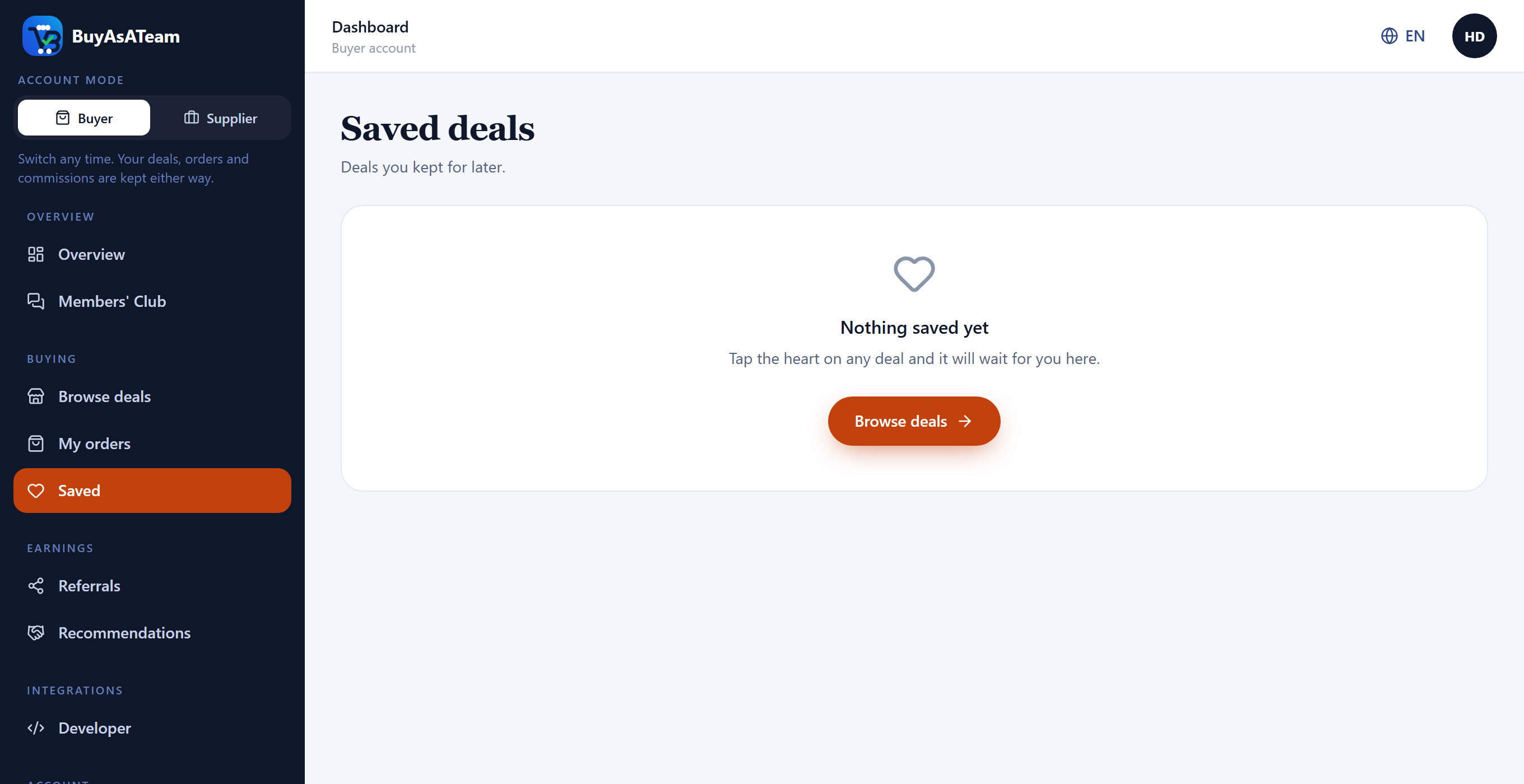
The heart on any deal card or deal page saves it for later. Saved deals live in your dashboard and follow your account rather than the device, and you can move one straight to your cart from there.
Buying and following an order
Your cart holds no prices of its own — every time you open it, each line is priced again from the catalogue. A cart can sit for weeks, and you should never check out at a number the platform no longer honours.

Checkout asks how you would like to pay and lists the methods available for that order. Paying with crypto takes you to a hosted page where you choose a coin; your order is funded once the network confirms the payment, which usually takes a few minutes. Other rails are settled by hand, in which case your order is created straight away and held until the payment is confirmed. Either way nothing reaches the supplier until you confirm delivery.
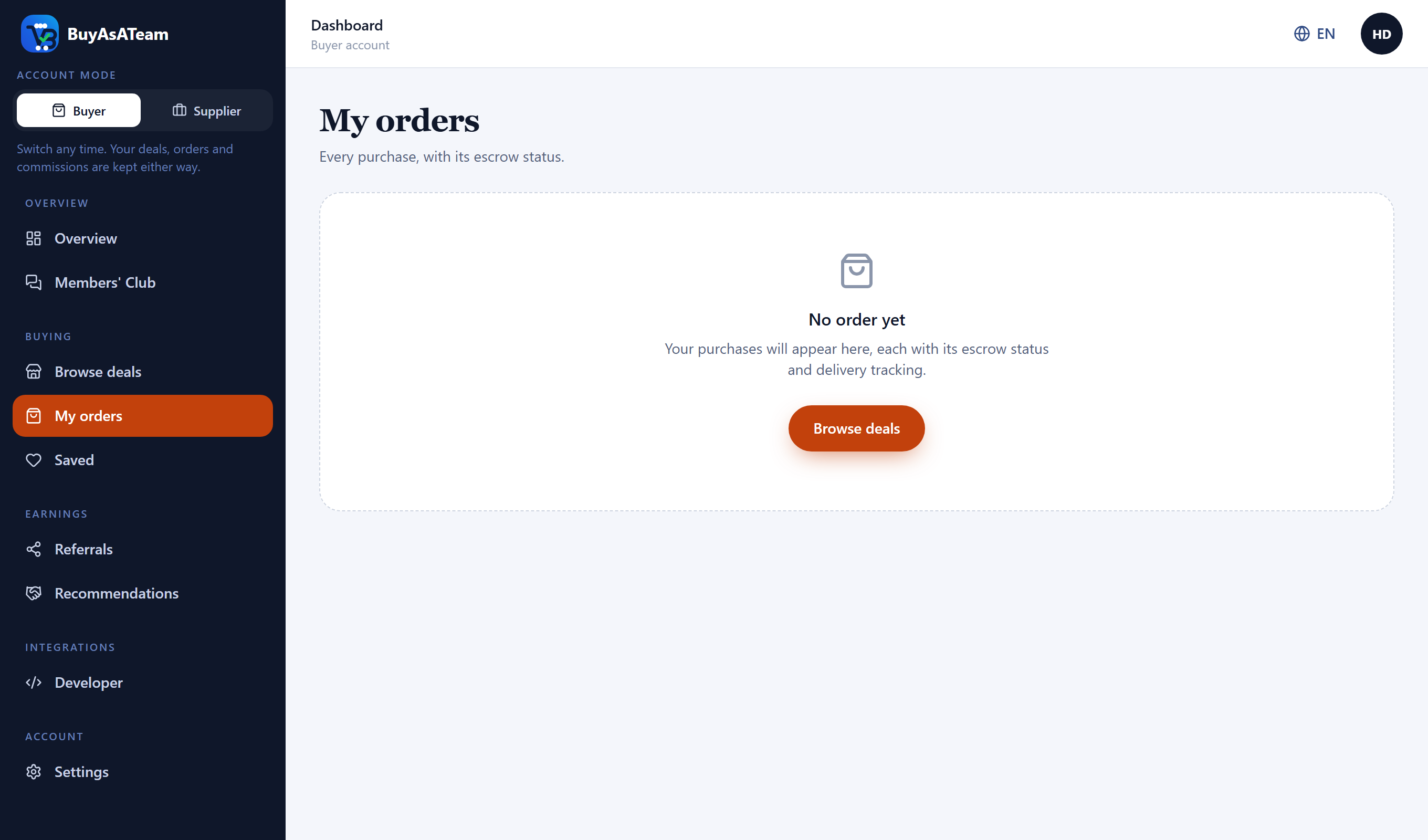
My orders shows every purchase with its reference, what you paid, any referral discount and its escrow state. When there is something to confirm, the button to confirm it is on the order.
Earning commission
Three ways to be paid on a sale, none of which require you to sell anything yourself.
| When | You take |
|---|---|
| Somebody buys through your link | 20% of the markup |
| Somebody you invited buys through anyone's link | 5% of the markup |
| A sale is made from a deal you recommended | 5% of the markup |
You have one general invitation link, and you can create a link for any individual deal with the Share button on it — useful when you want to know which deal actually earned you the money. The Referrals screen carries both, with clicks, conversion rate, total earnings and what is still pending.
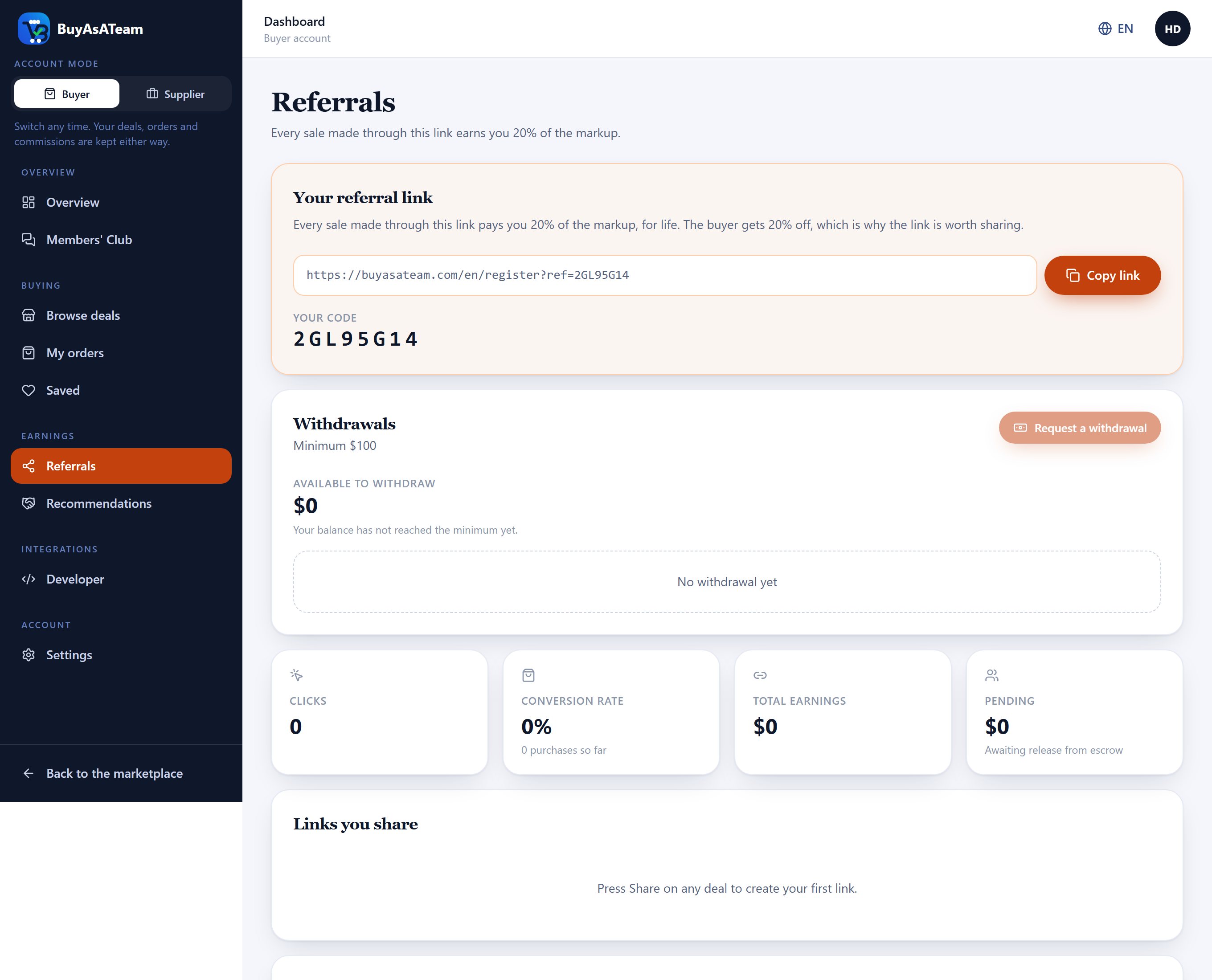
The same screen is where you ask to be paid. A withdrawal cannot be requested below the platform minimum, and the screen says so rather than letting you submit and be refused. Your balance drops when you request, not when you are paid, so the same money cannot be requested twice while the first request is being handled; a rejection puts it back.
Recommending a deal
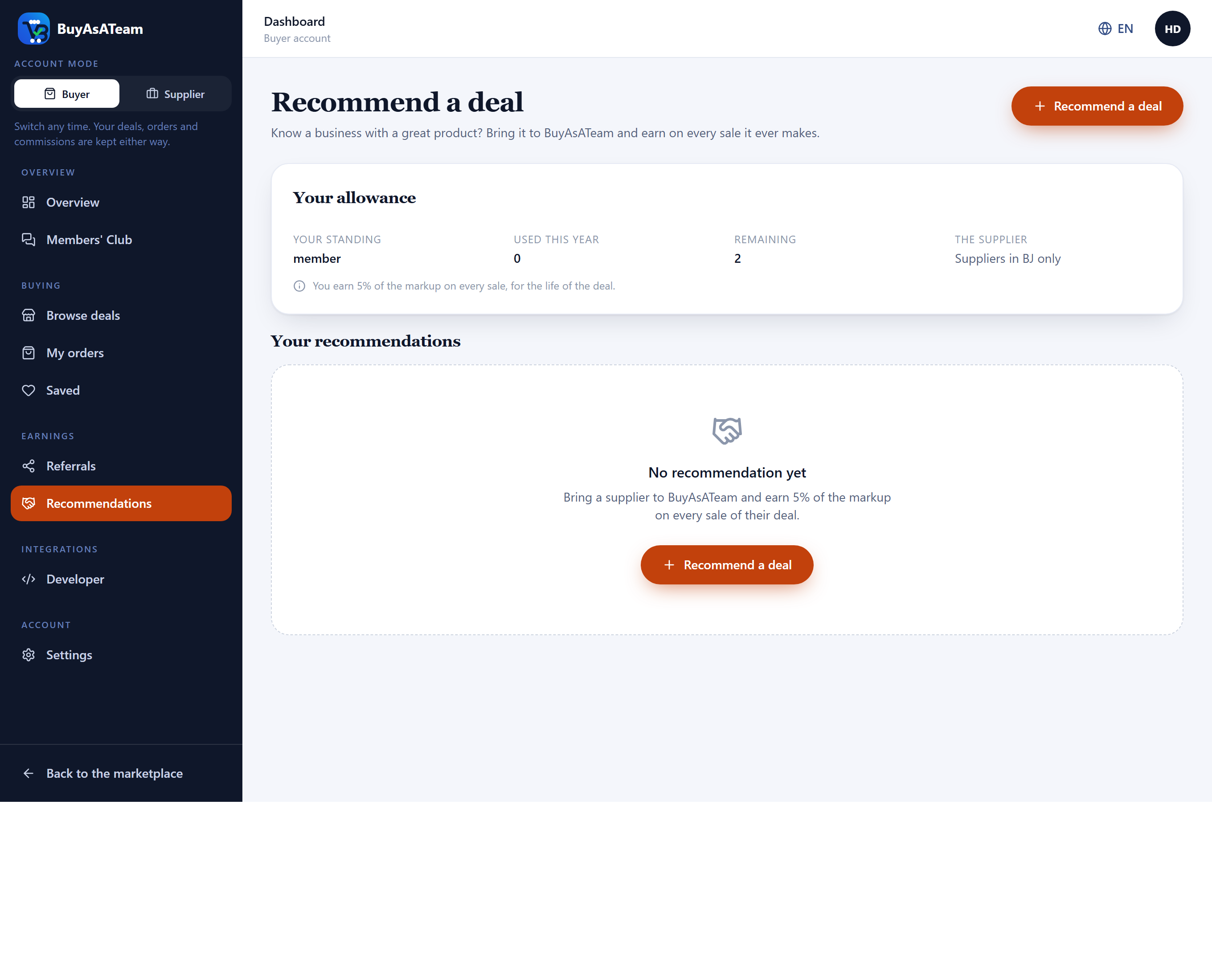
Know a great deal worth offering on the platform? Recommend it and earn 5% of the platform's markup every time that deal is sold. You do not need the seller's prior approval, and you do not negotiate any terms. Simply provide the details of the deal, including the product or service and its selling price, and a Business Marketing Executive will visit the seller to verify the information and agree on the wholesale price before the deal is listed.
The screen shows your allowance for the year before the form — how many recommendations you have used and how many remain — and whether you may recommend suppliers worldwide or only in your own area.
The Monthly Leaders' Pool
Five percent of every platform markup is allocated to the Monthly Leaders' Pool. At the end of each calendar month, the pool is shared among the top 10,000 members who earned the highest direct purchase commissions during that month.
Leadership is earned, not guaranteed. Rankings are recalculated every calendar month from the qualifying direct purchase commissions actually earned during that month. To remain a leader you have to keep generating qualifying sales.
- Earn direct purchase commissions. Share deals, invite buyers. Every qualifying first-level purchase commission you earn during the calendar month counts towards your ranking — recommendation and BME commissions do not.
- Finish among the top 10,000. The leaderboard is calculated automatically from the commission ledger; no application and no manual approval is required.
- Share the pool. Your share is your qualifying direct purchase commissions for the month divided by those of all the leaders together, so a member who earned twice as much as another receives twice their share.
Your rank, what you have earned this month and an estimate of your share are on the Leaders page. It is labelled an estimate because both the pool and everybody's commissions keep moving until the month closes.
Selling on BuyAsATeam
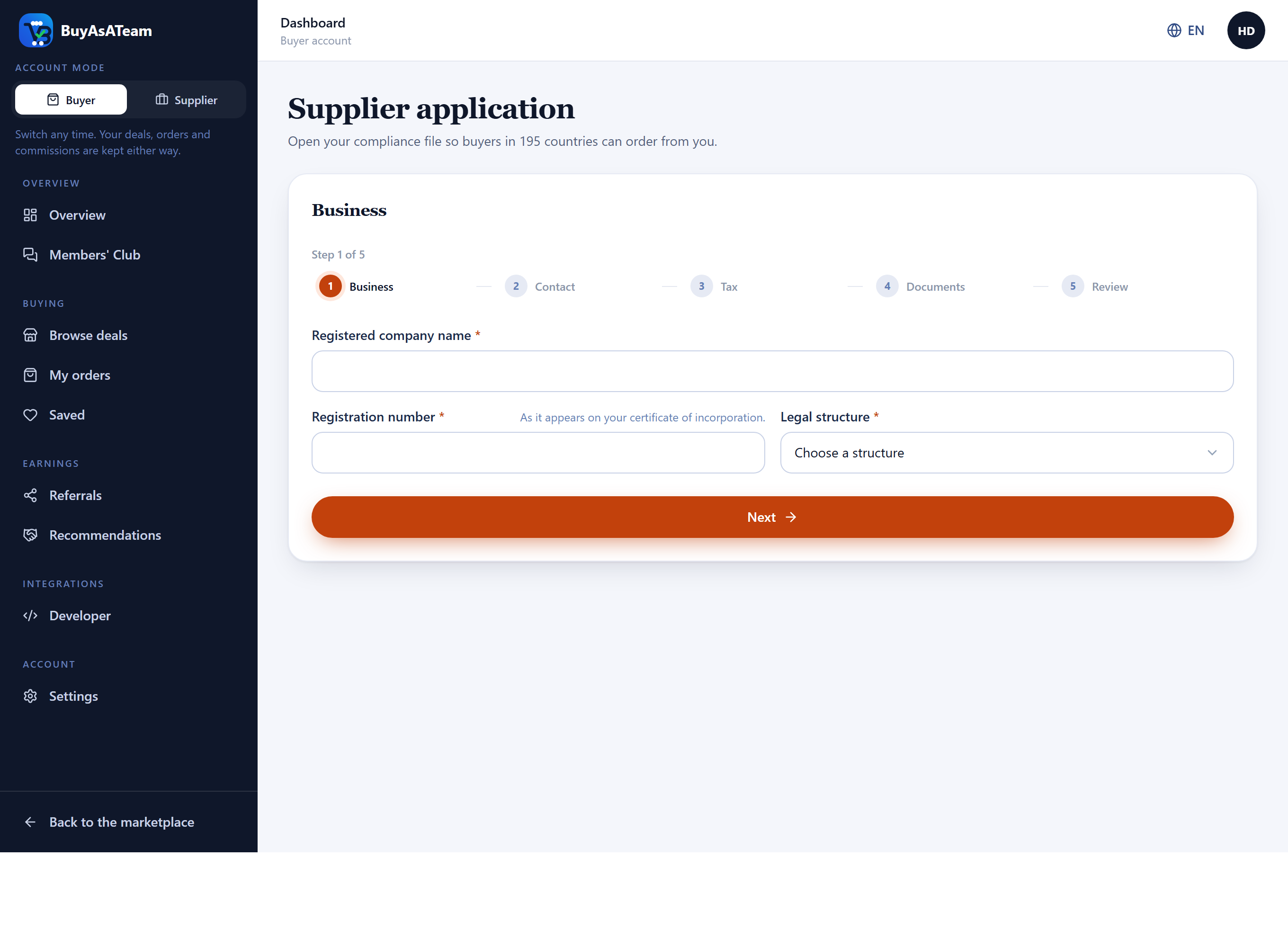
Switch your account to Supplier and a compliance file opens: five steps — business, contact, tax, documents, review — saved as you go, so you can leave and come back.
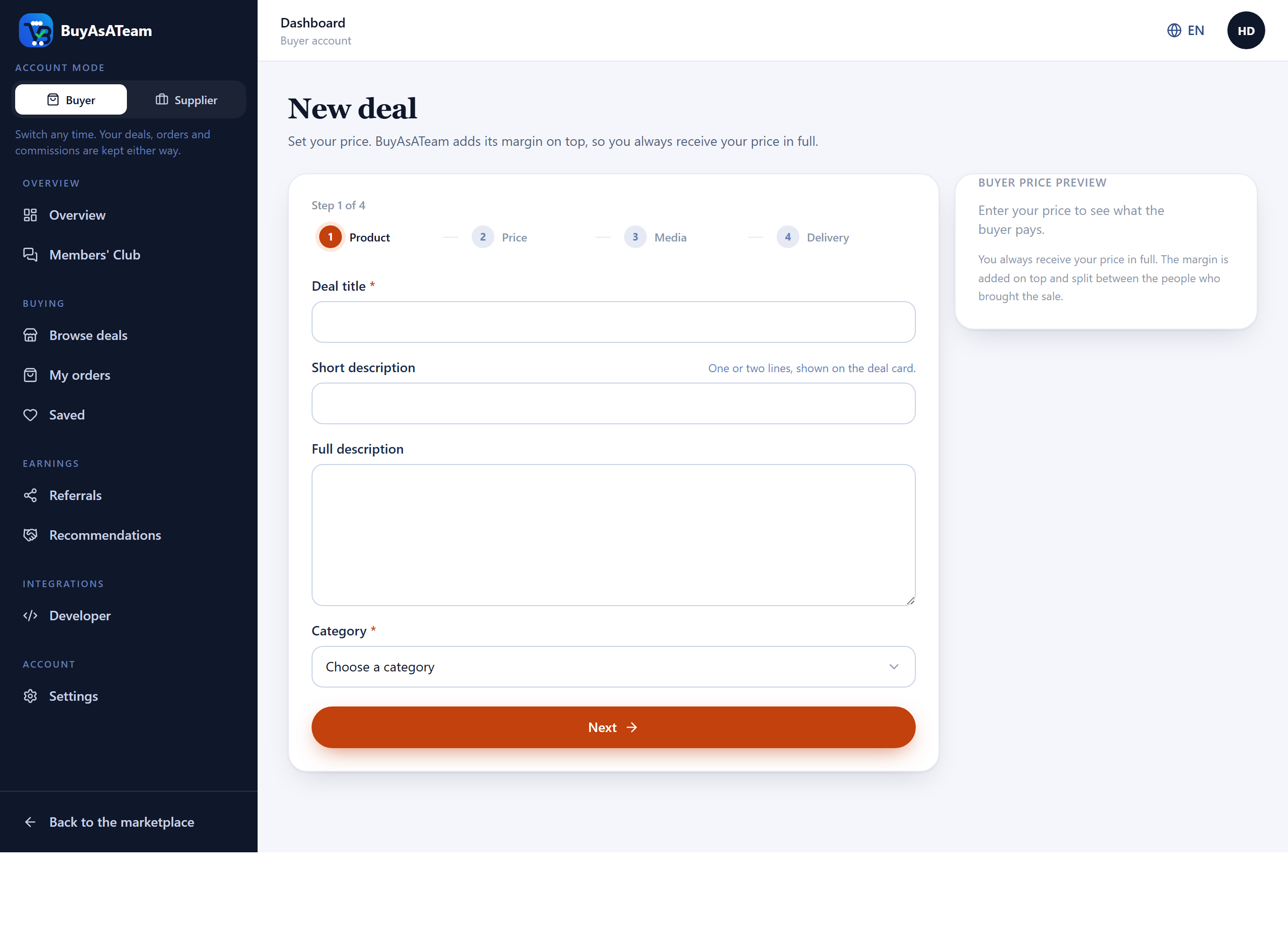
Listing a deal asks for the product, its category, your price, minimum order, delivery and warranty, images, specifications, and the countries you can and cannot ship to. You set the price you want to receive; the platform margin is added on top and does not come out of it.
When a BME visits your business and agrees terms, those terms come to you before anything is published in your name. Declining is not a rejection: you say what is wrong, and the BME comes back with corrected terms.
Before anything of yours goes on sale, an automated check reads it: that it has a title, a photograph, a price and a margin, that the category is still open, that the minimum order is not larger than your stock, that nothing in the text is a good the platform refuses to carry, and — above the value where it is mandatory for the category — that insurance is confirmed. It also looks at your own file: approved, identity verified, and your country still open for trade.
Working as a BME
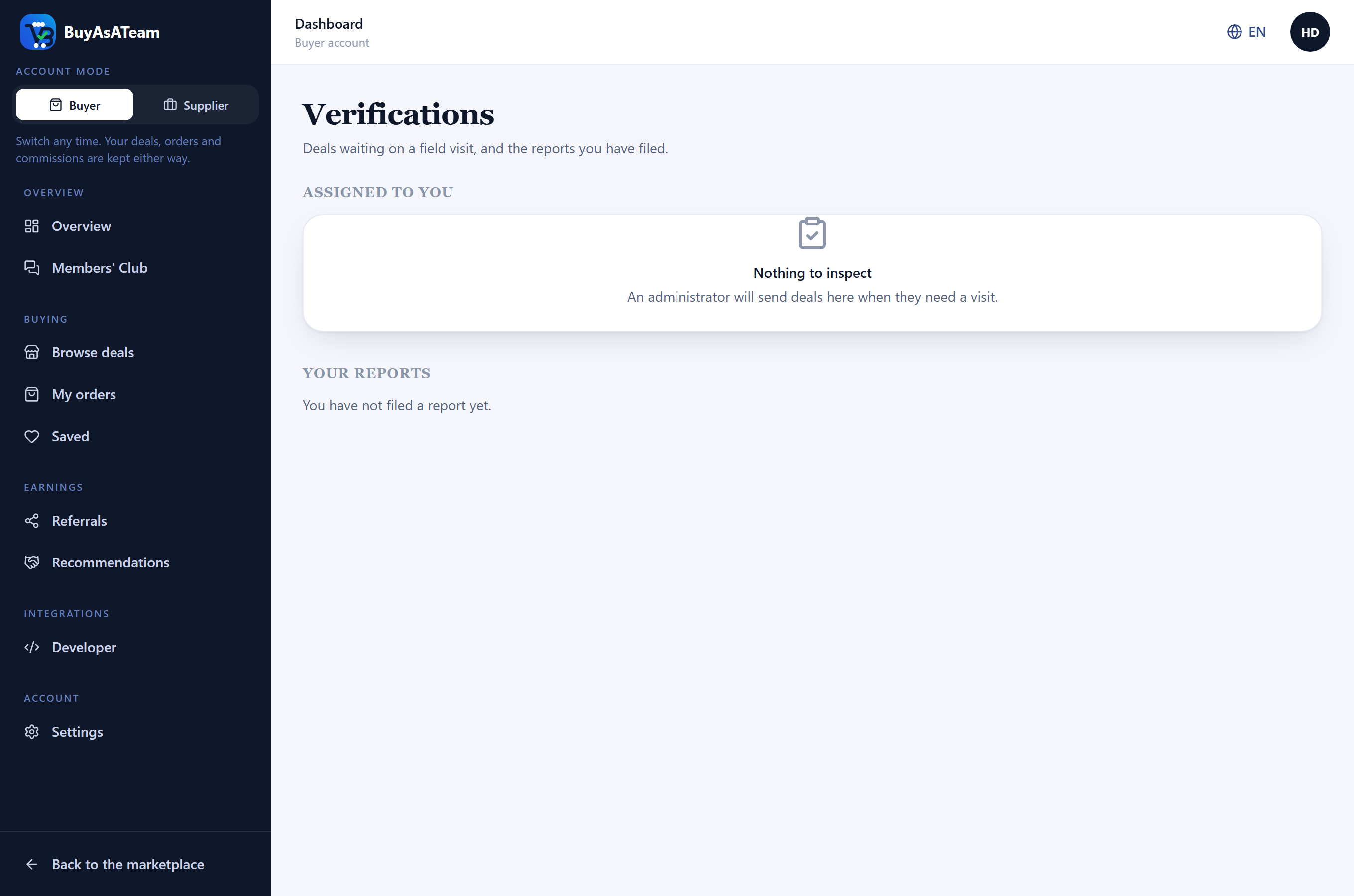
If you hold the BME role, Verifications is where the deals assigned to you appear. Each assignment carries what you need to get there — the business name, address, contact and phone — because you are the person knocking on the door. Those details are shown to you and to the administrator who assigned you, and to nobody else.
You file a report saying whether the business matches the listing or should be sent back for correction, where you visited, what you found, which verification tier you propose, and photographs. What you write is what an administrator reads before publishing.
Following a parcel
Once a supplier despatches your order, every parcel on it gets its own page under Track on the order. A large order can ship in several crates, each with its own carrier, tracking number and arrival date, so each is followed separately rather than folded into one line.
- The supplier records the parcel, which also marks the order as shipped.
- They add each step as it happens: in transit, out for delivery, delivered.
- Where the carrier has its own tracking page, a link takes you straight to it.
History is added to, never rewritten. A parcel that was marked delivered and is in transit again the next day keeps both lines, because that is a question somebody has to answer rather than a mistake to tidy away.
Asking before you buy
Every listing has a questions section under the description. Ask about a voltage, a dimension, a lead time or what is included, and the supplier answers there. Only the supplier can answer: the reply is a promise about goods they are selling, and staff putting words in their mouth would be worth nothing.
Questions and answers are public on the listing by default, and that is the feature rather than an oversight. One person asks about the motor and every later buyer reads the answer. Kept private, the supplier answers the same question forty times and thirty-nine buyers never see it.
Comparing deals side by side
On the catalogue, the scales icon on a card adds that deal to a comparison, up to four. A bar appears at the bottom of the screen once you have one; open it and the deals are laid out in a table — price, supplier, minimum order, delivery, warranty, verification, insurance, and every specification any of them states.
Rows where all the deals agree are dimmed rather than hidden, so “is there any difference here” is answered at a glance. The comparison lives in the address, so it can be sent to a colleague in a link.
Buying something together
Two buyers who each want twenty units, or ten who cannot afford one machine alone, can fill a purchase between them. There are two shapes, and they are genuinely different purchases.
| Shape | What you contribute | What you end up with |
|---|---|---|
| Reaching a minimum | Units | The units you paid for. Nobody shares anything. |
| One indivisible thing | Money | A share of it, pro rata, named on the receipt. |
Where the supplier has set volume prices, a group that reaches one pays that price — everybody, including whoever joined first, who is refunded the difference when the group closes. The price you see when you commit is therefore the most you can pay and never the least.
When a co-owned thing goes on earning after delivery — a lorry, a mill, a machine that is hired out — the income is recorded against it and split by share. Costs are shown beside the gross rather than quietly deducted, because you are entitled to both figures. Decisions about the thing, including selling it, are voted on by share with a quorum: an asset where four of fifty owners answered has decided nothing.
Ordering the same thing again
For something you buy on a rhythm, a standing order places it for you — weekly, fortnightly, monthly or quarterly. It uses the price and terms in force on the day each order is raised, not the day you set it up, so a supplier's price change reaches you the same way it reaches everybody else.
Sale prices and promotion codes
Two ways a purchase can cost less, and it is worth knowing who is paying for each, because it decides what is possible.
- A sale window is the supplier's own doing: they set a lower price for a period, and the platform's markup follows it down. Everybody buying in the window pays it, no code needed.
- A promotion code is the platform's. It comes out of the platform's share of the markup, never out of the commissions owed to the member who introduced you, the recommender or the verifying executive — which is why a code is capped rather than unlimited.
- Buying through somebody's link already takes 20% of the markup off the price. That is not a code and needs no action beyond arriving through the link.
The bell
The bell in the top bar collects what has happened that concerns you: a parcel delivered, a return accepted, a deal sent back for correction, a bid on your request. Opening one takes you to the screen it is about, and the count clears as you read.
It does not replace e-mail. Anything that must reach you when the browser is closed — a verification link, a password reset, a payment confirmation — is still sent by e-mail as well.
The Members' Club
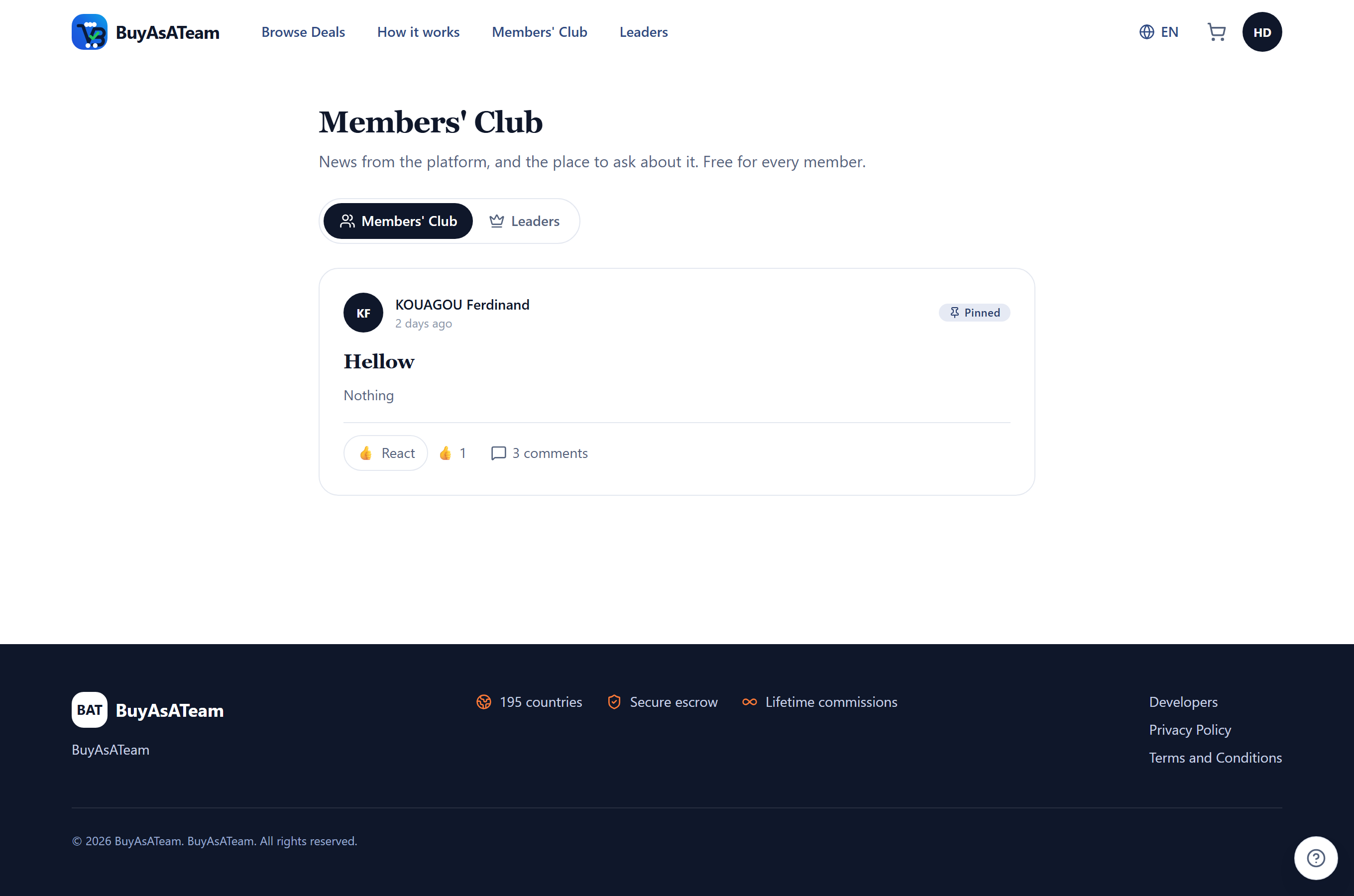
Free and open to every registered member. You can post text, images and video, comment and reply in threads, and react with more than a like. Comments open in a panel over the post, so a long thread does not push the rest of the feed off the screen, and the feed updates as things happen rather than waiting for a reload.
Building on the API
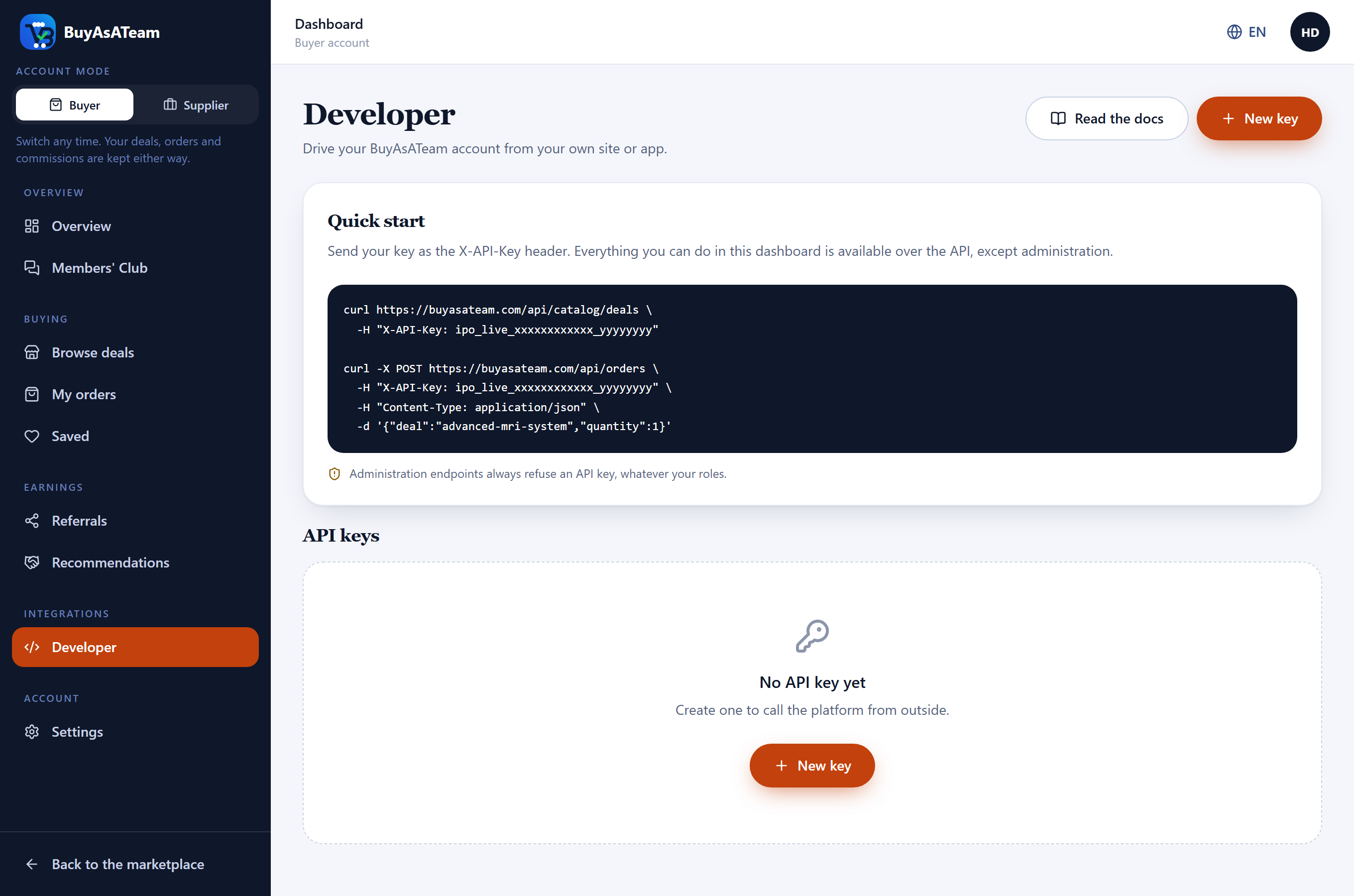
If you run a site or an app of your own, you can sell BuyAsATeam's catalogue through it and be paid for the sales. Developer in your dashboard is where you create and revoke API keys; the signing secret for a key is shown once, when you create it, and never again.
- The catalogue, a price quote and the margin breakdown are public, so you can try them before you have a key.
- Report a sale and it becomes a real order here, with escrow and commissions, while your platform keeps the shares it earned.
- Your own users can share deals and earn: you pass their reference, and the statement tells you exactly who is owed what.
- Register an https endpoint and we tell you when an order is created, shipped, confirmed or disputed, when commissions settle, and when a payout is made.
Your account
Your name, country and password live under Settings, together with identity verification and two-factor authentication. Switching on two-factor means every sign-in asks for a six-digit code from your authenticator app.
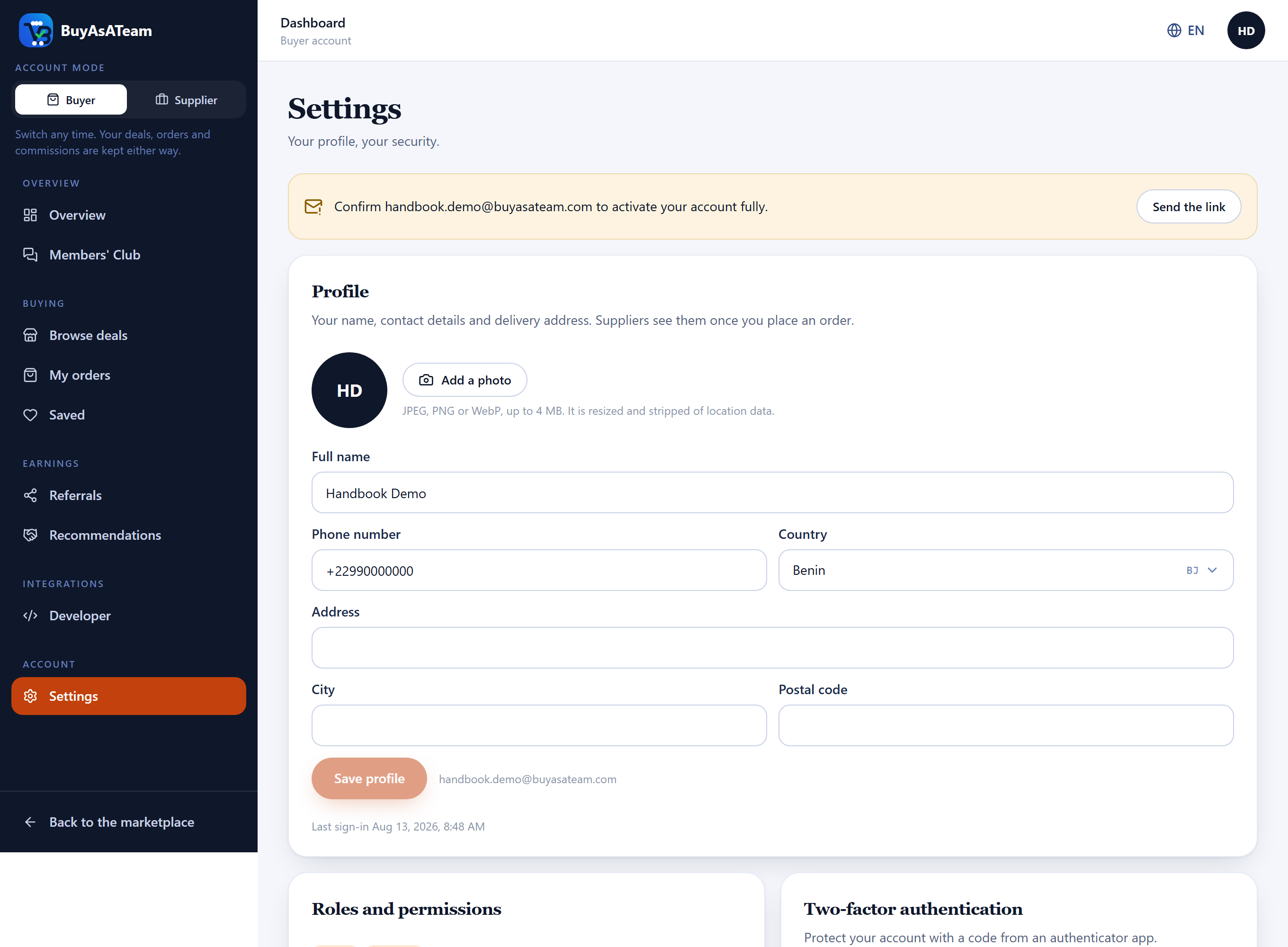
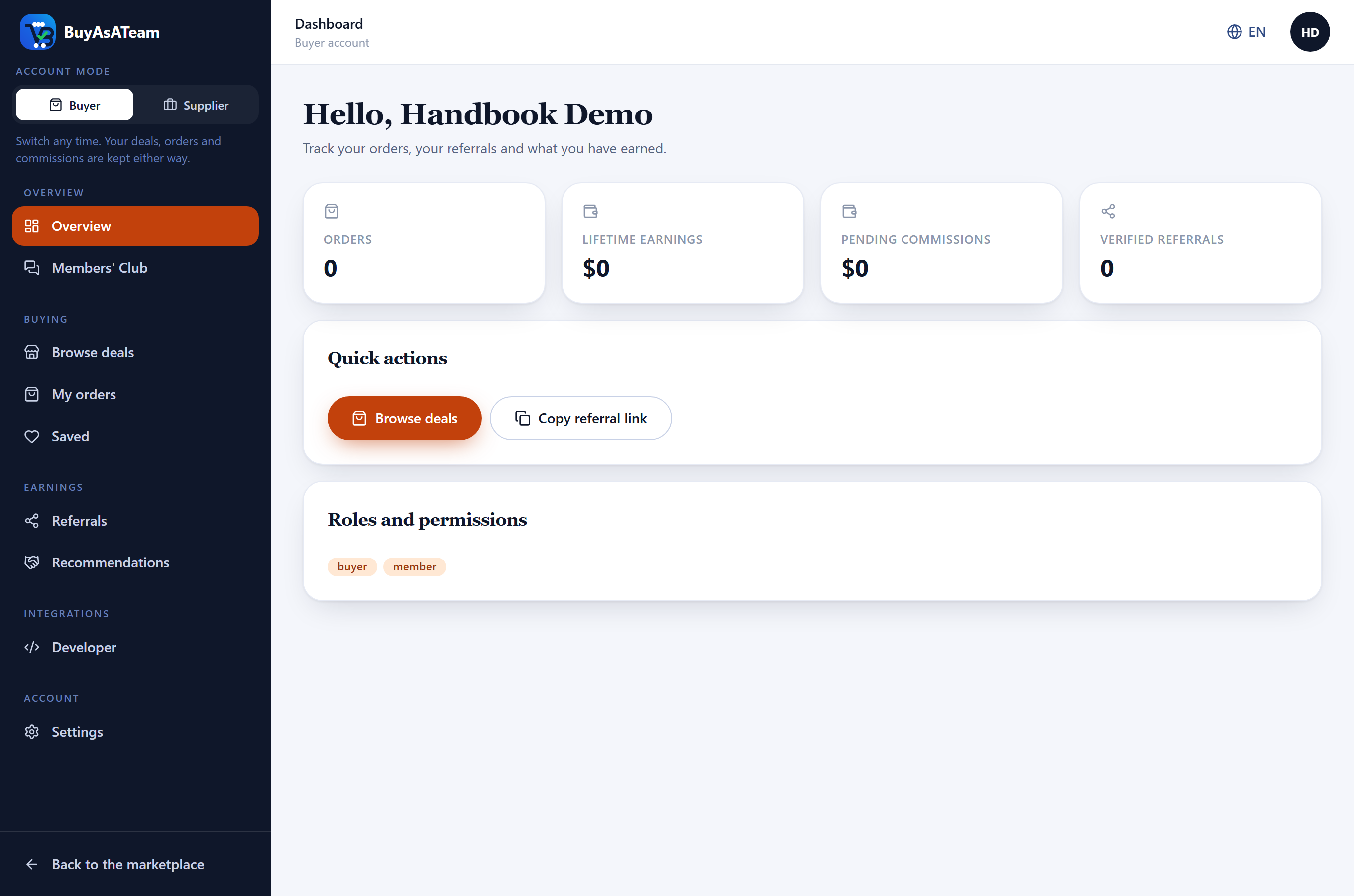
You do not need two accounts to buy and to sell. The Buyer and Supplier switch at the top of the sidebar changes what the dashboard offers you and takes effect immediately — you are not signed out to do it, and your deals, orders and commissions are kept either way.
The platform is available in English, French, Spanish, Portuguese, Arabic, Swahili and Chinese. Arabic lays the whole interface out right to left rather than merely translating it. Change language from the header; the choice is kept in the address, so a link you share opens in the language you were reading.